

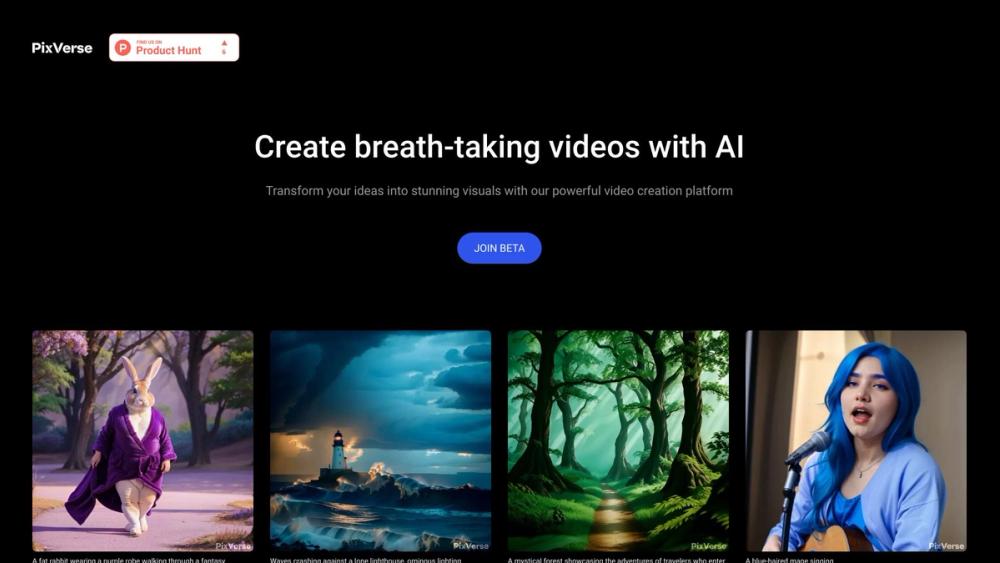
PixVerse: The AI Video Generator That Doesn’t Hate Your Wallet
You know the drill. You find a cool new AI video tool, sign up, and immediately hit a paywall before you even generate a single weird clip of a cat eating spaghetti. PixVerse is the exception. It’s a powerful AI video generator that actually refreshes your credits daily, letting you create about 3 videos every single day for free.
It’s not just a toy, either. While the big names like Runway and Sora grab the headlines, PixVerse has been quietly building a platform that balances quality with accessibility. If you want to dabble in AI video without attaching your credit card, this is currently your best starting line.
🎨 What It Actually Does
- Magic Brush: You paint over a specific area (like a person’s hand or a cloud) and tell it exactly how to move. – Finally fixes the "random chaos" problem where the whole video moves when you just wanted the dog to blink.
- Image-to-Video: Upload a static photo and it animates it. – Great for breathing life into old family photos or making your Midjourney art move.
- 4K Upscaling: Takes the standard blurry AI video and sharpens it up. – Makes your clips actually usable for YouTube or social media rather than just a blurry mess on your phone.
- Character Consistency: Tries to keep the same "actor" looking identical across different clips. – Essential if you are trying to tell a story rather than just making random hallucinations.
The Real Cost (Free vs. Paid)
Let’s be real: The "free" version is generous, but it comes with strings attached. You will have a watermark, and you can’t make feature-length films. But for memes, testing, and group chats? It’s gold.
| Plan | Cost | Key Limits/Perks |
|---|---|---|
| Free | $0 | ~3 Videos/Day (Daily Credit Reset), Watermarked, Standard Speed. |
| Standard | $10/mo | No Watermark, ~40-50 Videos/mo, HD Resolution. |
| Pro | $30/mo | Higher Speed, 4K Upscaling, Commercial License. |
How It Stacks Up
- vs. Kling AI: Kling is currently the visual quality king (photorealism is insane), but their free tier is often stingy or wait-listed. PixVerse is slightly lower fidelity but far more accessible for daily playing.
- vs. Luma Dream Machine: Luma creates incredible motion physics (things crash and bounce correctly). However, PixVerse’s Magic Brush gives you more manual control over what moves, whereas Luma is more of a "roll the dice and pray" situation.
- vs. Runway Gen-3: Runway is for the pros with big budgets. It’s faster and has more tools, but it burns money. PixVerse is the "homeroom" version—safe, free, and good enough to learn the ropes.
The Verdict
We are in a weird transitional moment for AI video. The tech is impressive but often too expensive for the average person to justify just for fun. PixVerse bridges that gap perfectly.
It democratizes the "director's chair." It reminds us that creativity shouldn't be gated behind a $30 monthly subscription. It might not win an Oscar for visual fidelity next to Kling, but it’s the tool you will actually use because it’s there, it’s free, and it works. Start here, break things, and make weird art.


