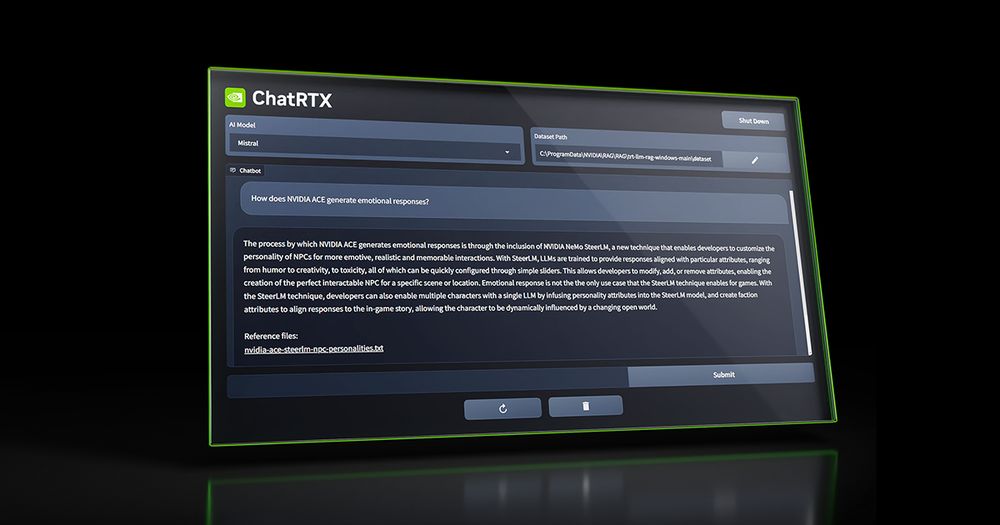
ChatRTX: The Privacy-First AI That Costs $0 (If You Have the Gear)
You don’t need a subscription to run a powerful AI assistant, you just need a beast of a graphics card. ChatRTX is NVIDIA’s answer to monthly fees—a completely free, locally installed chatbot that gives you unlimited messages and absolute privacy because it never sends your data to the cloud.
The catch? It’s picky about your hardware. Unlike web-based tools that run on a potato, ChatRTX lives on your PC and demands specific NVIDIA silicon to function.
⚡ What It Actually Does
-
Chat with Your Files: Drag and drop your own .txt, .pdf, or .doc files into the app. It reads them instantly.
- Benefit: You get a personalized expert that knows your specific tax documents or study notes, without uploading sensitive info to a random server.
-
YouTube Integration: Paste a YouTube playlist URL.
- Benefit: It watches the videos for you and lets you query the transcripts. Perfect for finding that one specific quote in a 3-hour podcast.
-
Voice Search: Speak directly to the AI using the microphone.
- Benefit: A hands-free experience that feels more like Jarvis and less like typing a term paper.
-
Photo Search: Describe a photo in your local library (e.g., "dog playing frisbee").
- Benefit: Finds images based on content, not just filenames, keeping your personal gallery private.
The Real Cost (Free vs. Paid)
There is no "Pro" plan here. NVIDIA doesn't charge a cent for the software. However, the "price" is hidden in the system requirements. You cannot run this on a Mac, an AMD machine, or an old laptop.
| Plan | Cost | Key Limits/Perks |
|---|---|---|
| Software | $0 | Unlimited daily messages. Zero monthly fees. 100% Privacy. |
| Hardware | $300+ | Requires RTX 30, 40, or 50 Series GPU (8GB+ VRAM). 35GB-100GB Disk Space. |
How It Stacks Up
While ChatRTX is powerful, it’s not the only way to run local AI in late 2025.
- LM Studio: The best all-rounder. It runs on Windows, Mac (M1/M2/M3 chips), and Linux. It offers a much wider library of downloadable models than ChatRTX but can be slightly more intimidating for total beginners.
- GPT4All: The budget option. Unlike ChatRTX, this can run on your CPU. It’s slower, but it works on older or non-NVIDIA laptops where ChatRTX would refuse to launch.
- Jan.ai: A privacy-focused alternative with a clean interface. It mimics the ChatGPT look and feel perfectly but runs offline. It’s less rigid about hardware than NVIDIA’s official tool.
The Verdict
ChatRTX represents a massive shift in how we interact with technology. We are moving away from renting intelligence from big tech giants and starting to own it. By bringing the "brain" onto your own hard drive, you regain control over your data and your wallet. It’s clunky to install and hungry for storage, but the freedom of having a genius assistant that works offline—and doesn't spy on you—is invaluable. If you have the graphics card to handle it, installing this is a no-brainer.