

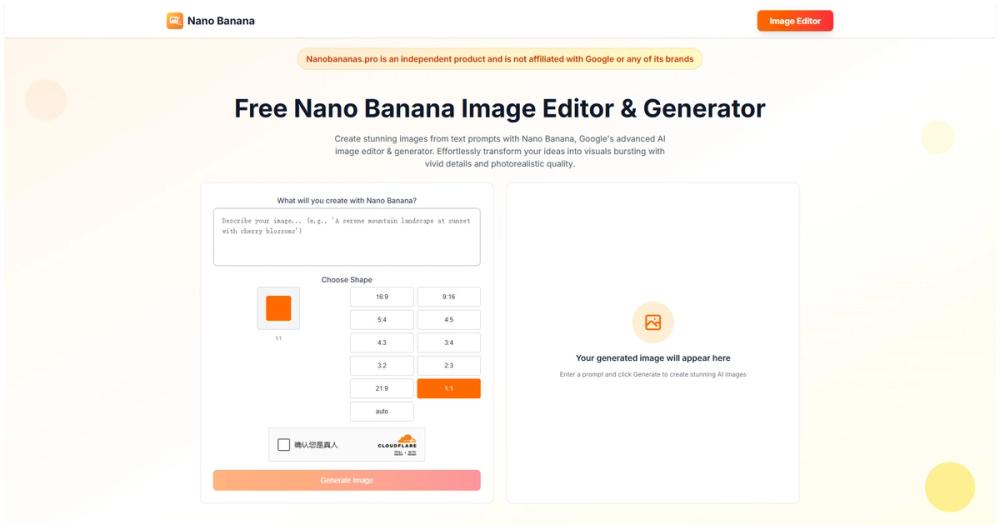
Image-Editor
Let’s be real: most "free" AI photo editors are just glorified paywalls waiting to happen. Image-Editor (yes, that’s its actual name) is different because it runs on a model delightfully named "Nano Banana"—and the Free Allowance is genuinely unlimited. It’s a wrapper for Google’s Gemini 2.5 Flash Image technology that lets you perform complex, conversational edits without spending a dime or counting credits.
🎨 What It Actually Does
- Conversational Editing: You don't use sliders; you type "Make the sky stormy" or "Remove the tourists."
- The benefit is you don't need to know what 'saturation' or 'clone stamp' means to get professional results.
- Consistent Character Generation: It remembers who is in the photo.
- This solves the "face morphing" problem where your subject looks like a different person in every AI edit.
- Object Remixing: Move, resize, or replace items (e.g., "Change the apple to a burger") with seamless lighting adjustments.
- You can fix a ruined shot or create a meme in seconds without manual masking.
- Style Transfer: Type "Make this look like a 90s grunge poster."
- Instantly rebrands your image for social media trends without hunting for filters.
The Real Cost (Free vs. Paid)
Most competitors hook you with 5 free credits and then slam the door. Image-Editor is surprisingly generous, likely because it's showcasing the Nano Banana model's efficiency.
| Plan | Cost | Key Limits/Perks |
|---|---|---|
| Free | $0 | Unlimited Edits, Standard Speed, Max 2K Resolution |
| Pro | Opaque | High-Res (4K), "Thinking" Mode (Higher Logic), Priority Queue |
Note: While there’s no visible watermark, the Nano Banana model embeds an invisible SynthID watermark for transparency/AI detection.*
How It Stacks Up
The AI editing space in late 2025 is crowded, but Image-Editor carves out a niche by being the "unlimited" option.
- vs. Pixlr: Pixlr is fantastic but strictly limits AI generations (Generative Fill, etc.) behind a credit system. Image-Editor lets you experiment endlessly without fear of running out of tokens.
- vs. Canva: Canva is the design king, but its best "Magic" tools are often locked behind the Pro subscription. Image-Editor is a specialized tool that does one thing—editing—for free, which you can then import into Canva.
- vs. Photopea: Photopea is the best free Photoshop clone, but it requires manual skill. Image-Editor is for when you want the AI to do the heavy lifting, not when you want to manage 50 layers manually.
The Verdict
We are moving past the era of "prompt and pray" into the era of "conversational creativity." Image-Editor, powered by the oddly named Nano Banana, represents a shift where the tool acts less like a software application and more like a graphic designer sitting next to you. It’s not about having a million buttons; it’s about having a tool that understands intent.
The fact that it is currently unlimited feels like a loophole in the matrix—a fleeting moment where high-end tech is accessible to everyone to train the models. My advice? Use it to process your entire backlog of "almost perfect" photos before the inevitable pricing pivot happens.


